
3D Design to print Process
3D Design form at bottom of page*
1. The Design Process:
All of my 3D designs are created using the iPad Pro. I primarily use two apps: Shapr3D and Nomad Sculpt. Shapr3D is a technical CAD application that allows for fast and precise modeling. In contrast, Nomad Sculpt focuses on digital sculpting and painting, offering a more artistic and freeform approach to 3D design.
2. The Setup:
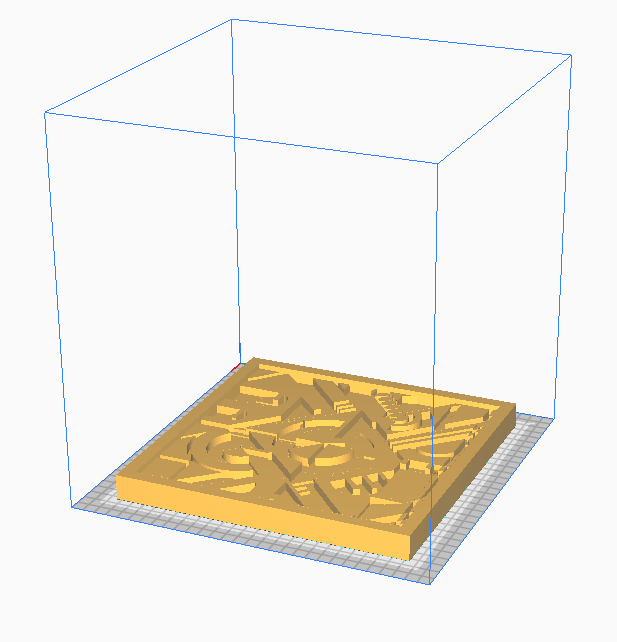
Before printing a 3D design, the file must be prepared and imported into a slicer—specialized software for 3D printers. In the slicer, the model needs to be correctly positioned and scaled. It's also important to review all print settings to ensure the highest possible print quality before sending the file to the printer.
3. The Printing Process:
The machine shown above is a Qudi Tech Fused Deposition Modeling (FDM) 3D printer. It produces prints by feeding melted plastic through an extruder onto a preheated print bed. During the process, the extrusion nozzle moves along the X, Y, and Z axes—where X and Y represent the horizontal movement, and Z represents the vertical movement. The object is built layer by layer until the print is complete. Each design must first go through the previous preparation stages before reaching this printing step.


The design shown above was created using Nomad Sculpt on an Apple iPad. Nomad Sculpt is a 3D sculpting and painting app that mimics the experience of working with real clay—without the mess. It allows me to create and manipulate various organic shapes easily, making it a powerful tool for bringing creative ideas to life. The app is especially beginner-friendly, making it a great starting point for those new to 3D design.
The three images display the full body model I sculpted in Nomad Sculpt. More technical components, however, were designed using Shapr3D, which offers greater precision. The chainsaw was by far the most challenging piece to design and get functioning correctly. Beyond modeling, a significant amount of time went into sanding and prepping each 3D-printed part for painting and final assembly.
You can check out the full video below—also available on my YouTube channel—where I walk through much of the design, printing, and build process of this full animatronic project.

3D Modeling and 2D Manufacture design.
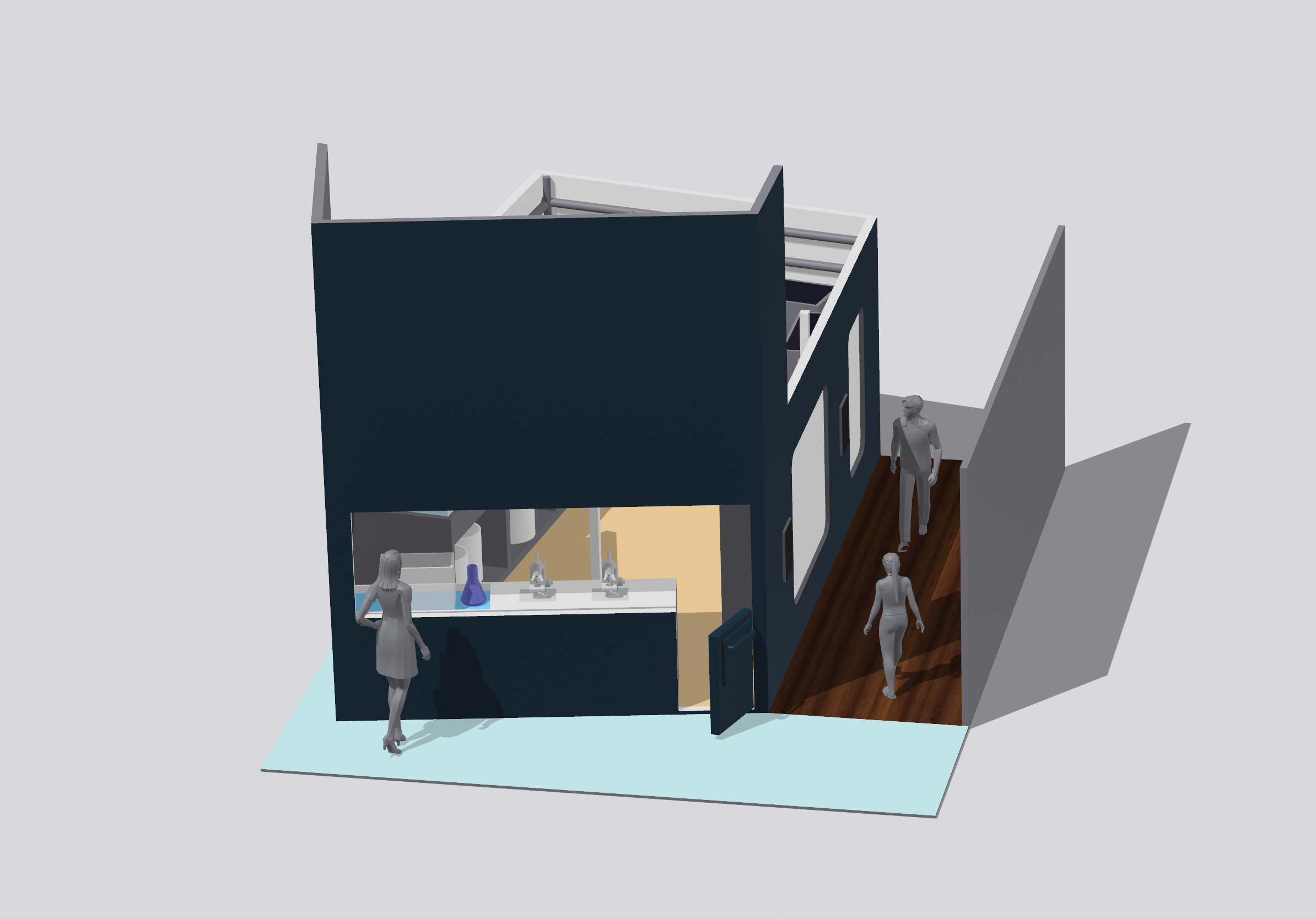
The images above and below showcase commissioned architectural designs created using Shapr3D. These designs were developed using precise measurements taken from the existing rooms. Shapr3D is an excellent tool for direct modeling, which is one of the three main paradigms of 3D modeling in CAD. Additionally, I can produce complete blueprints of the structures I design, as shown in the images. I highly recommend this program to anyone interested in learning CAD.


-
This Filament is one of the more basic 3d print material. Its non-toxic as well as odorless. It’s melting temperature is between 170 and 180 °C. This is also a Vegetable-based plastic, It frequently uses raw materials like Sugarcane or Cornstarch. Monomer is a molecule in PLA that allows bonding to different identical molecules to form a polymer ,which is made from plant starch. The molecule is also the primary natural raw material used in 3d printing. This filament is 100% biodegradable and can be composted.
-
ABS is the more complex stronger printing plastic. Unlike PLA it has high heat, and excellent impact resistance. It has a melting temperature of 200 °C. Its Thermoforming and machinability make it a great choice for machine housing, fixtures, or displays when strength and durability are needed. Unfortunately unlike PLA filament ABS main ingredients are from oil that is produced from fossil fuel. This also makes this specific plastic non-biodegradable. Good news though it’s non-toxic.
-
Petg is the strongest of these 4 filaments. It melts at 260 °C . Its commonly printed at a lower temperature between 220-260 °C . Its also non-toxic and is safe to use with food as in printing utensils. This is the same plastic you see used to produce many plastic water bottles. It’s the perfect plastic for mechanical parts as well as robotics with its strength and ductility combined. Petg also has a strong chemical, water, and acidic resistance. It can easily be recycled but, it’s non-biodegradable.
-
TPU is the most flexible filament and has all the characteristics of rubber and durability of plastic. It has a melting temperature of 220-250 °C. TPU is also biodegradable like PLA and 100% recyclable. Like the other filaments TPU has various uses. To list just a few footwear, drive belts, Medical devices, Tires, automotive parts, sporting goods, inflatable rafts etc if you need it to flex and also be durable this is the filament for you.
Selecting 3D print plastic
LIVE 3D PRINT.
Currently printing
How much does each process cost?
How long will my print take from start to finish?
Get a Quote!
Each print varies in dimensions and total printing time. Therefore, every print job will differ based on the details, size, and overall complexity. After you submit your information and printing requirements, please allow up to 24 hours for a response via email. Your quote and available payment options will be discussed further in the email.
PRINT QUOTE